
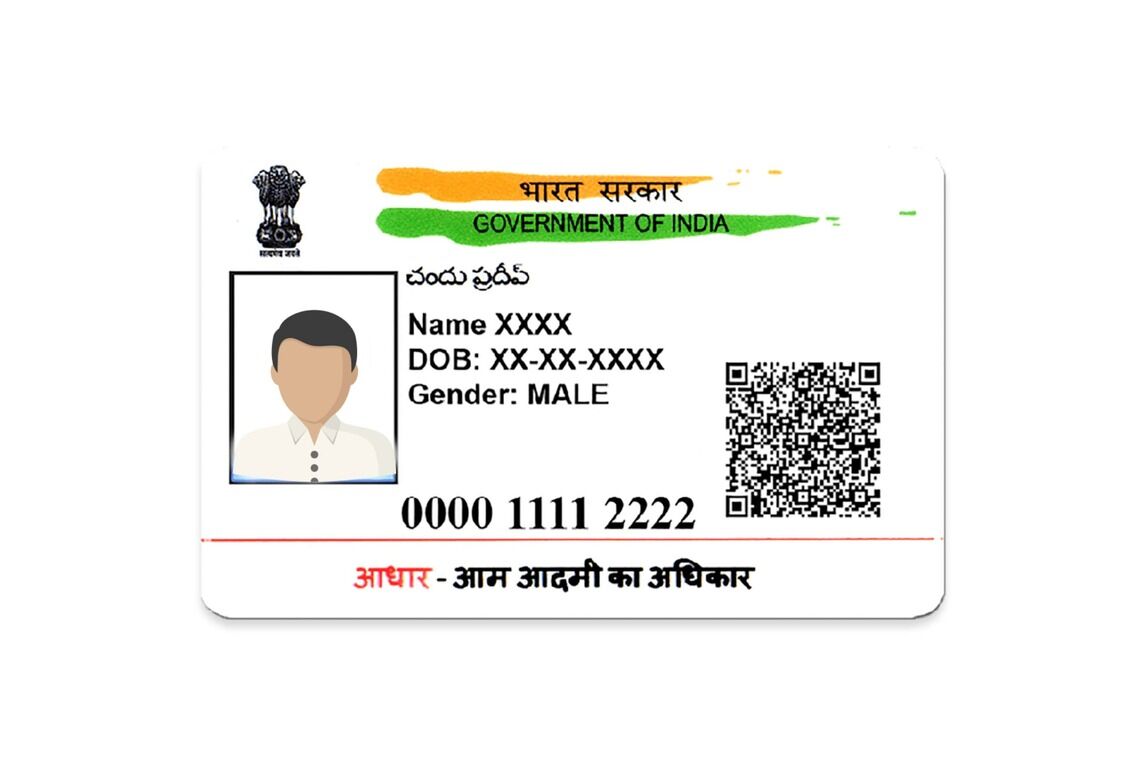
The Aadhaar card, commonly referred to as “Adhar Card” (though Aadhaar is the correct spelling), has become an essential identification document for Indian citizens. Issued by the Unique Identification Authority of India (UIDAI), this 12-digit number serves as proof of identity and residence and is used across government and private services. With the ease of online access and digital platforms, downloading your Adhar card has become simpler than ever. This article outlines the Adhar card download process for fast and seamless access while addressing related queries, such as how to change Aadhaar card date of birth.
Why the Adhar Card is Essential
Before diving into the download process, let’s take a brief look at the importance of the Aadhaar card:
- It connects various services, including banking, subsidies, public welfare schemes, and more.
- Serves as proof of identification and residence.
- Facilitates digital services by linking Aadhaar with mobile numbers and bank accounts.
Since maintaining accessibility to your Aadhaar card is crucial in today’s digital-driven landscape, UIDAI allows individuals to download their cards online and on demand.
Step-by-Step Guide to Adhar Card Download
Adhar card download is straightforward. UIDAI provides multiple ways to obtain a digital copy of your Aadhaar card online. Follow the steps below for fast and easy access:
Step 1: Visit the UIDAI Website
The official UIDAI website (https://uidai.gov.in/) is your one-stop destination for all Aadhaar-related services. Open the website in your browser and navigate to the “My Aadhaar” section.
Step 2: Select the ‘Download Aadhaar’ Option
Under the “My Aadhaar” menu, you’ll find various options related to Aadhaar services. Select “Download Aadhaar” to proceed.
Step 3: Enter Your Aadhaar Details
To download your Aadhaar card, you need to provide authentication details. You have three ways to authenticate:
- Aadhaar Number: If you know your Aadhaar number (12-digit unique ID), enter it in the relevant box.
- Enrolment ID (EID): If your Aadhaar number has not yet been generated, use the EID provided during enrollment.
- Virtual Identification Number (VID): If you have created a virtual ID (16-digit number for privacy protection), use it to authenticate.
Step 4: Provide Required Information
Enter your full name, pin code, and the security Captcha code shown on the screen.
Step 5: OTP Verification
After filling in the required details, click “Send OTP.” You will receive a One-Time Password (OTP) on the mobile number linked to your Aadhaar card. Enter the OTP to verify your identity.
Step 6: Download the e-Adhaar PDF
Once verified, you can download the e-Adhaar PDF file. The document is password-protected for security reasons. The password typically consists of the first four letters of your name (in capital letters) followed by your year of birth.
Step 7: Print Your Aadhaar
After opening the e-Adhaar PDF, you can print it for physical use. The digital Aadhaar is considered equally valid as the physical copy.
Other Methods to Download Aadhaar Card
UIDAI also provides alternative ways to download your Adhar card:
- Using the mAadhaar App: Download the mAadhaar app from Google Play Store or Apple App Store. Log in using your Aadhaar credentials to access and download your card.
- QR Code on Aadhaar Letter: If you have the physical Aadhaar letter and need a digital copy, scan the QR code printed on the letter using the mAadhaar app.
- By Aadhaar SMS Services: Using UIDAI’s SMS services, you can request details and use them for the download option.
How to Change Aadhaar Card Date of Birth
Errors in Aadhaar details, such as date of birth or name, can cause complications in documentation. Fortunately, UIDAI allows Aadhaar holders to rectify these mistakes. The process to change aadhar card date of birth is relatively simple:
Online Process
- Visit the UIDAI website and log in using your Aadhaar credentials.
- Navigate to the “Update Demographics Details” section.
- Select “Date of Birth” from the list of editable fields.
- Upload proof of date of birth (such as a birth certificate, passport, or school leaving certificate).
- Submit your application and pay the nominal update fee.
Offline Process
You can visit your nearest Aadhaar Enrollment Center in person to change your date of birth. Carry valid documents for proof. Fill out the Aadhaar correction form, submit the proof, and get an acknowledgment slip for tracking.
Tracking Your Update
Once your request has been submitted, you can track its progress using the UIDAI portal by entering your request number (URN).
Benefits of the e-Adhaar Card
The digitally downloaded version of your Aadhaar card (e-Adhaar) offers several advantages:
- Mobility: Keep your Aadhaar accessible on your phone or computer without requiring a physical copy.
- Convenience: Access your Aadhaar anywhere, anytime, for documentation purposes.
- Validity: The e-Adhaar holds the same legal validity as the physical version.
- Eco-Friendly: Saves paper by reducing the reliance on printed Aadhaar cards.
Conclusion
The Adhar card download process is designed to ensure quick and easy access to your Aadhaar card from anywhere in the world. With the comprehensive steps outlined above, you can effortlessly download your Aadhaar card to stay prepared for identity verification in both online and offline scenarios.
Furthermore, correcting your Aadhaar card details—like changing the Aadhaar card date of birth—is equally convenient with both online and offline options. As Aadhaar becomes increasingly entwined with essential services in India, understanding how to efficiently download and update it is vital for ensuring smooth access to government services and documentation.
Make sure your Aadhaar details are always updated and accessible. Whether you’re downloading your e-Adhaar or correcting information, UIDAI simplifies these processes for every Indian citizen. Follow these guidelines to make the most of your Aadhaar card and its features.